On this page
Every hosted AI image generator we checked for this page sets rules on what you can make. Deep Dream Generator’s terms of use (updated 29 May 2026) ban sexually explicit images and say automated filters screen prompts and results. We could not read Craiyon’s live terms on 18 Nov 2026, because its site blocks automated requests, so we make no claim about what it allows. The nearest thing to no restrictions is an open-weight model such as Stable Diffusion running on your own computer, where you control the settings. Even then, the model’s licence lists uses you agree not to make, and the law still applies to what you create.
For text models, see our guide to uncensored AI models. Image and video models you can run yourself are in our open source NSFW AI model list.
Understanding AI Image Generation and Restrictions
AI image generation involves using algorithms to create visuals. These tools process data to produce unique images.
Most AI tools have built-in restrictions. These ensure inappropriate content is not generated. It’s a measure to maintain ethical standards.
Restrictions can limit creative outputs. Users find that certain themes or styles are off-limits. This can be frustrating for those seeking complete freedom.
Here are common types of restrictions you might encounter:
- Content filters blocking explicit or harmful imagery
- Limitations on image complexity or themes
- Restrictions on commercial use or distribution
Some AI image generators offer flexible settings. Users can adjust restrictions to suit their needs. This offers a balance between freedom and responsibility.
Understanding these restrictions is vital. It allows users to choose the right tool for their purpose. With knowledge, users can better navigate the AI landscape, maximizing creativity while being mindful of potential issues.
DeepSeek V4.1 vs Grok 4.7: which AI is less restricted? (2026 comparison)
Why Do Most AI Image Generators Have Filters and Restrictions?
AI tools often include filters for several reasons. Primarily, they aim to prevent harmful or offensive content. This keeps generated images safe for diverse audiences.
Ethical considerations are another factor. Developers aim to adhere to societal norms and values. This ensures AI technologies contribute positively to society.
Legal obligations also influence these filters. Many jurisdictions have laws on digital content. AI creators must comply to avoid legal issues.
Here’s why restrictions are commonly applied:
- Protects users from inappropriate material
- Reduces the risk of generating biased content
- Ensures adherence to copyright and legal standards
By imposing these filters, AI developers can offer more responsible and user-friendly tools. This approach provides a safer digital environment, balancing creativity with accountability.
The Demand for Unrestricted AI Image Generation
The demand for unrestricted AI image generators is growing rapidly. Many users seek creative freedom without barriers. This allows them to explore art and design in new ways.
Artists and creators are particularly interested. They desire tools that let their imagination run wild. For them, restrictions can stifle artistic expression.
Unrestricted AI also appeals to educators and innovators. These tools can serve as learning aids in tech education. They offer a platform for experimentation and discovery.
Here are reasons for the demand:
- Desire for creative liberty
- Educational exploration
- Unique artistic expression
By removing constraints, AI tools unlock diverse creative opportunities. This fosters a more dynamic and innovative artistic landscape.
Key Features of AI Image Generators Without Restrictions
AI image generators without restrictions come with unique features. These tools provide a broad canvas for creators. They offer flexibility and innovation.
One key feature is customizable settings. Users can fine-tune image generation parameters. This allows for tailored and unique creations.
Another notable aspect is high-quality output. The advanced algorithms ensure detailed and vibrant images. This quality attracts professional artists and designers.
Moreover, the user interface is often intuitive. This makes it accessible to both beginners and experts. Simple navigation enhances the creative process.
Essential features typically include:
- Customizable settings
- High-quality image output
- User-friendly interface
- Diverse style options
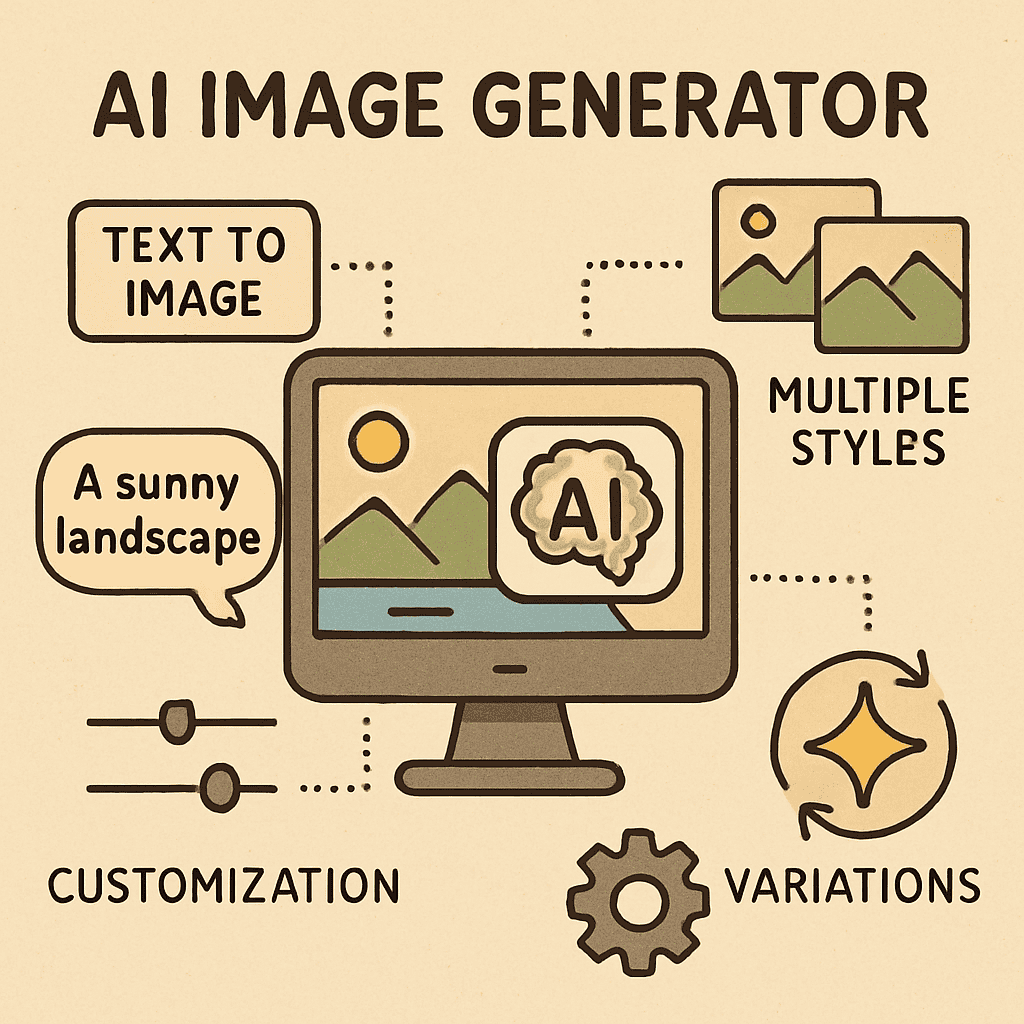
These features cater to varied artistic needs. They open doors to unprecedented creative experiments. With unrestricted AI, creators can redefine art and design.
Top AI Image Generators Without Restrictions: A Comparative Review
AI image generators vary widely in features and functionalities. Some tools embrace open-source principles, while others prioritize ease of use. Let’s explore some of the leading unrestricted options.
1. Stable Diffusion (Open Source)
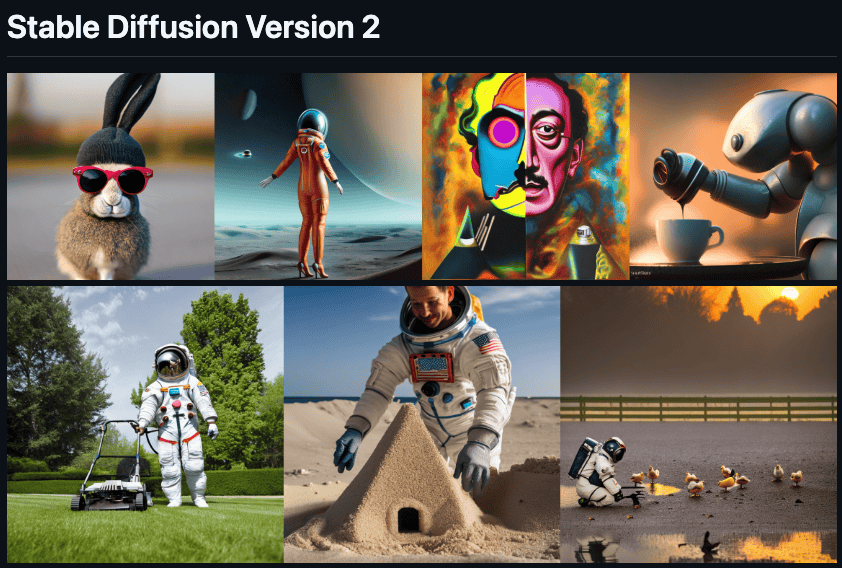
Stable Diffusion stands out for its open-source model. It’s popular among tech-savvy creators seeking control. Of the tools here, it comes closest to no restrictions. The original CompVis release runs a safety checker in its sample script to reduce explicit outputs, and its CreativeML OpenRAIL-M licence lists uses you agree not to make. Because the code runs on your machine, the settings are yours, but the licence terms still apply.
Key Features:
- Open-source accessibility
- Customizable model parameters
- Support for large-scale image generation
The flexibility provided by Stable Diffusion supports diverse creative needs. Its community-driven enhancements are notable.
2. Perchance AI
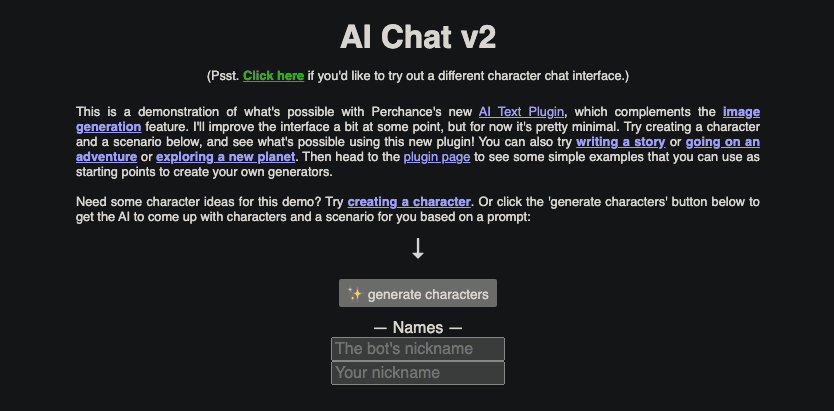
Perchance’s AI Chat v2, a text chat demo on the same site.
Perchance’s AI text-to-image page bills itself as free, with no sign-up and no limit on images. We could not check its content rules for this update, so read them on the site before you rely on it.
Key Features:
- Free to use
- No sign-up
- No stated image limit
3. Deep Dream Generator
Deep Dream Generator is renowned for its unique outputs. It transforms ordinary photos into dream-like visuals. Its terms ban sexually explicit content, though, and automated filters screen prompts and finished images.
Highlights:
- Unique transformation styles
- Supports various filters and adjustments
- Interactive community for sharing creations
Deep Dream encourages artistic discovery. It turns imagination into stunning images.
4. Craiyon (DALL-E Mini)
Craiyon, also known as DALL-E Mini, provides amusing image generation. Users can create a wide variety of visuals swiftly.
Features Include:
- Endless creative possibilities
- Quick image rendering
- Fun and experimental results
Craiyon invites users to explore and enjoy unexpected art forms.
5. Other Notable Tools
We have not checked the content rules of these other tools for this update:
- Artisto
- Artbreeder
- RunwayML
Read each one’s terms before you count on it for unfiltered work.
How to Use an AI Photo Editor With No Restrictions
Using an AI photo editor without restrictions can enhance creativity. Begin by selecting a tool that suits your needs. Each platform offers unique features, so explore options.
Once you’ve chosen, familiarize yourself with the interface. Most platforms have intuitive designs. This makes it easy to access various tools and settings.
Start with a simple project to grasp the basics. Experiment with different styles and parameters. Adjust settings to achieve your desired effect.
Regular experimentation helps refine your skills. The more you explore, the more innovative your creations become. Enjoy the journey of limitless artistic potential.
Pros and Cons of Using Unrestricted AI Image Generators
Unrestricted AI image generators offer several benefits. The flexibility to create without boundaries can lead to unique artwork. This freedom helps artists explore new styles and concepts.
However, there are downsides to consider. Without restrictions, the risk of generating inappropriate content increases. Users must exercise caution and responsibility.
Pros
- Greater creative freedom
- Ability to experiment with unconventional styles
- Potential to produce unique and original art
Cons
- Risk of generating offensive content
- Limited guidance on ethical use
- Potential for misuse in creating misleading images
Balancing creativity with ethical considerations is crucial. Users can enjoy benefits while being mindful of potential pitfalls. Understanding these factors can lead to a more responsible use of AI tools.
Ethical Considerations and Responsible Use
With great power comes great responsibility. This saying rings true for AI image generators. Users of unrestricted AI must think ethically about their creations.
Generating images without constraints can lead to unintended consequences. Harmful or offensive content might appear. Thus, responsible use is essential to mitigate these risks.
Many tools provide guidelines to help users. Following these guidelines is crucial for ethical use. Communities often share best practices for responsible AI use.
Ethical Practices
- Reflect on the purpose of your image creation
- Avoid generating offensive or harmful content
- Consider the societal impact of your generated images
By adhering to ethical principles, users can ensure their AI creations contribute positively to society. Responsible use of technology empowers creativity while minimizing potential harm.
Legal Issues: Copyright, Ownership, and Commercial Use
AI-generated images present unique legal challenges. Determining who owns the rights to these images can be complex. Often, this depends on how the tool is used and its terms of service.
Copyright laws are not always straightforward with AI. In many cases, the user might own the rights. However, some AI tools may retain specific rights to generated content, limiting ownership.
Important Legal Considerations
- Check the terms of service for ownership policies
- Understand how copyright applies to AI-generated work
- Be aware of restrictions on commercial use
Before using AI images commercially, examine these legal aspects. Doing so can prevent potential disputes. It’s essential to ensure you have the right permissions for your intended use.
Tips for Getting the Best Results From Unrestricted AI Image Generators
Unrestricted AI image generators offer endless creative possibilities. However, getting the best results requires some knowledge and practice. Here’s how you can enhance your experience.
Firstly, be clear about your vision. The more specific you are with your input prompts, the better the output. Describe details such as color, style, and composition.
Experimentation is key. Adjust parameters and try various settings. Different algorithms may produce unique styles, so explore these options.
Practical Tips
- Be specific with prompts
- Experiment with settings
- Explore various algorithms
Lastly, learn from the community. Engaging with other users can provide insights and inspiration. Join forums and discussions to share tips and seek advice.
Frequently Asked Questions About AI Image Generation Without Restrictions
Curious minds often have many questions about unrestricted AI image generators. Here, we answer some of the most common ones.
- What are unrestricted AI image generators? They are image tools with few or no content filters. The hosted services we checked all have some rules, and an open-weight model you run yourself, such as Stable Diffusion, comes closest.
- Why use them? Artists and creators seek flexibility in design. These tools provide the freedom to innovate without limitations.
- Are these tools safe to use? Generally, yes. However, users should be mindful of ethical considerations and privacy terms.
- Do they have user guidelines? Some do, but they vary. Always check for any usage instructions or community guidelines.
- Can everyone use them? Yes, but consider technical requirements, as some tools demand significant computing power.
Conclusion: Choosing the Best AI Image Generator Without Restrictions
Choosing the best AI image generator without restrictions boils down to your specific needs. Each tool offers unique features and capabilities. Consider what you value most in an AI tool.
Evaluate user interfaces, customization levels, and community support. These factors greatly influence user experience and effectiveness. Flexibility and ease of use are essential.
Ultimately, finding the right tool is a personal journey. Explore different options, and let your creativity thrive with unrestricted possibilities.
Comments
No comments yet.
Report